Rapid prototyping powered by AI agents

Frame it. View it. Ship it.

Watch your codebase take shape in real-time. When AI builds, you see every file appear. When you prototype, architecture stays visible. The command center for coding in the age of AI co-pilots.

See the Story Request Access
Code Easy Dashboard - Force Graph View

See it in action

Multiple visualization modes to understand your codebase

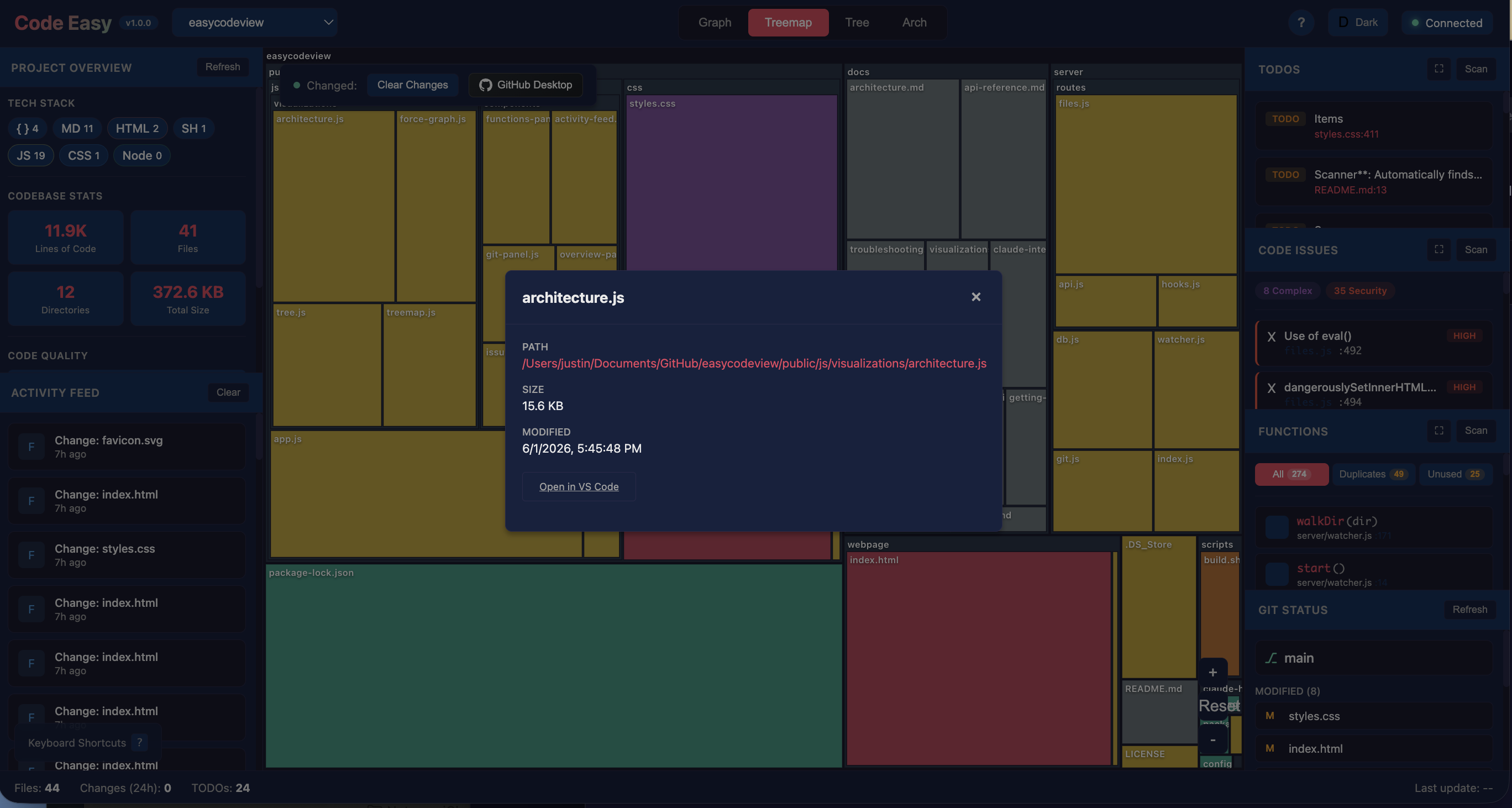
Dashboard Overview
Force Graph - File Dependencies
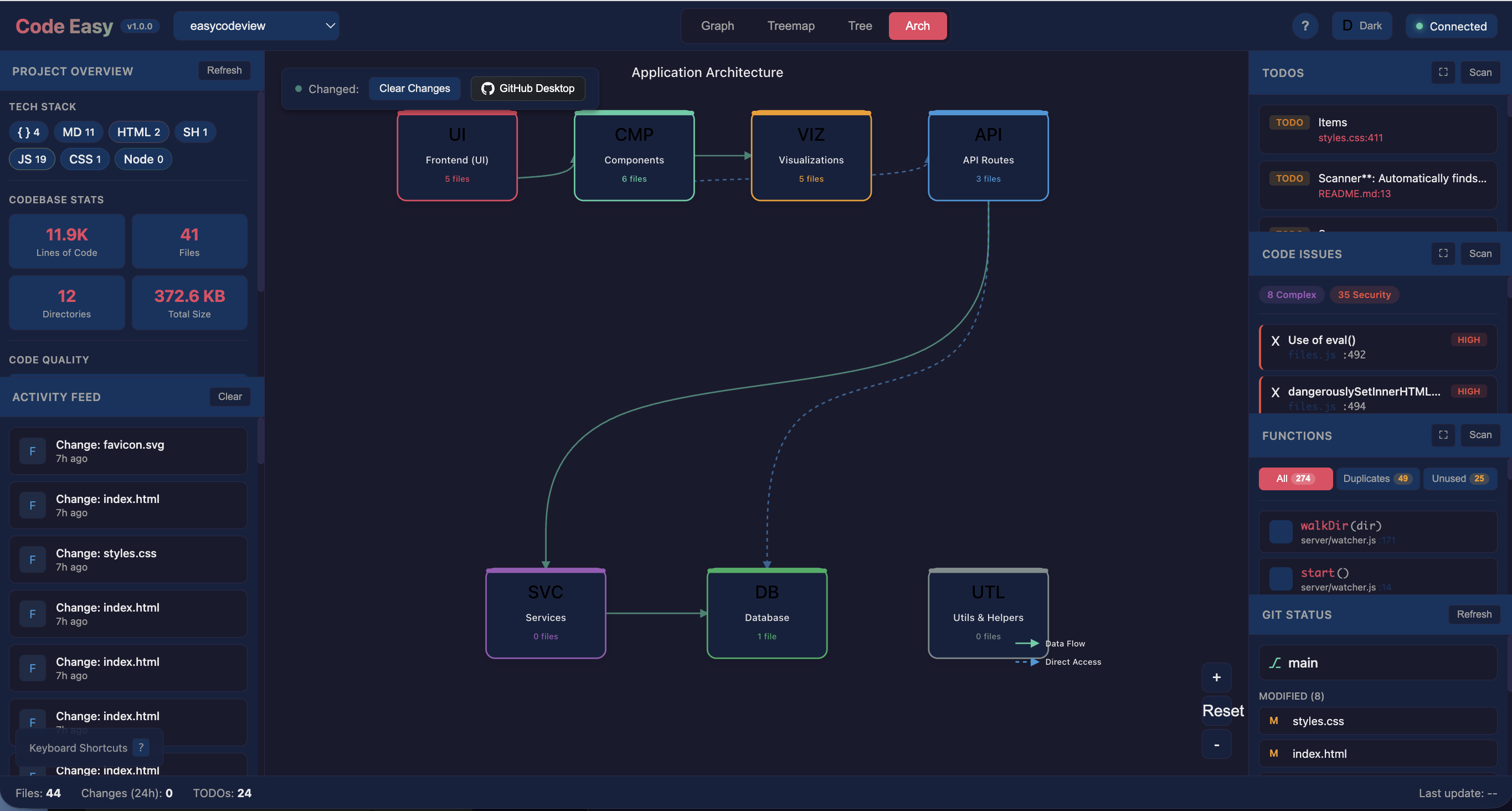
Architecture View
Architecture View - App Layers
Light Mode
Light Mode Support

Everything you need to understand your code

Powerful features designed for developers who want to see the bigger picture

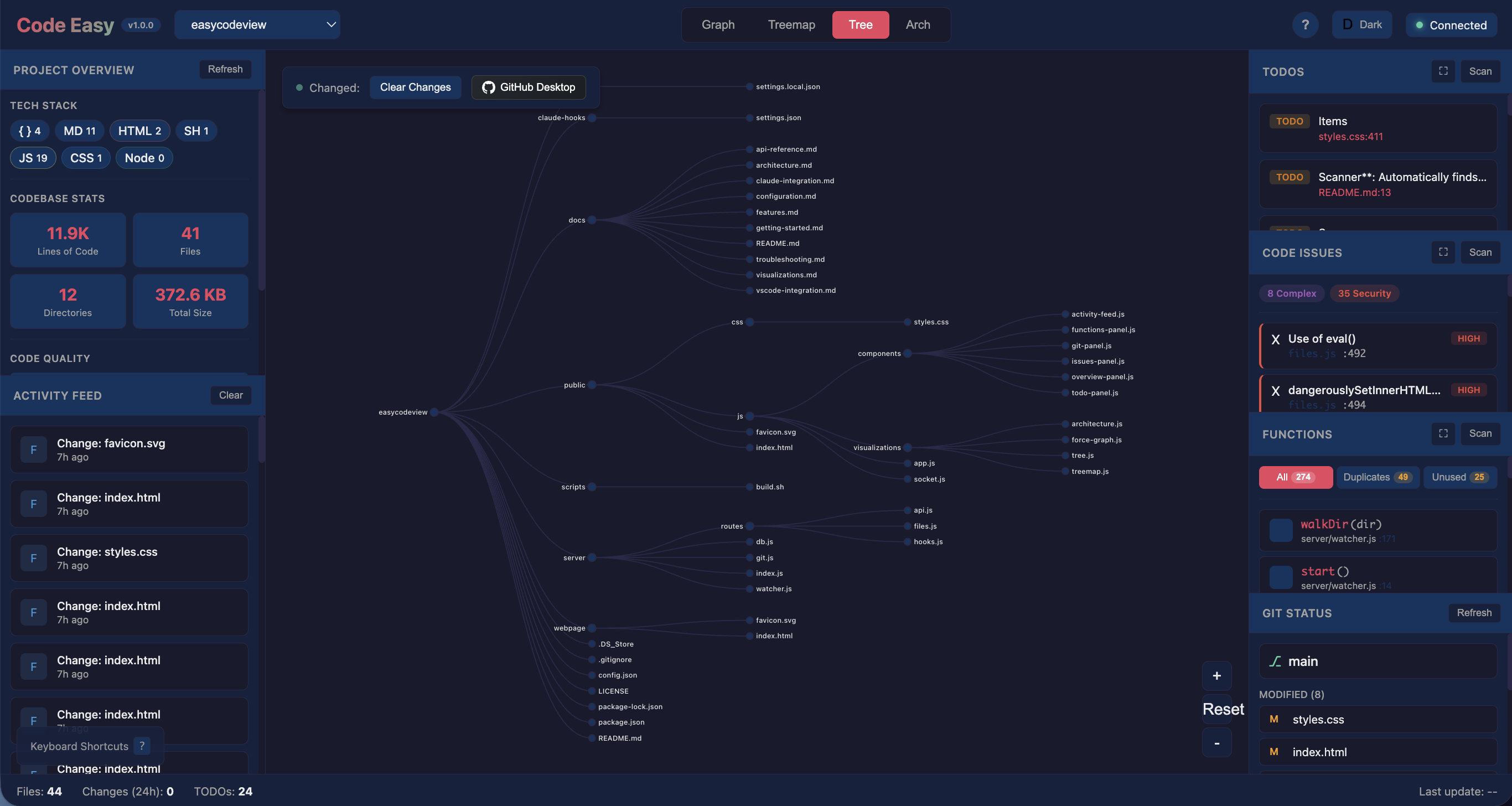
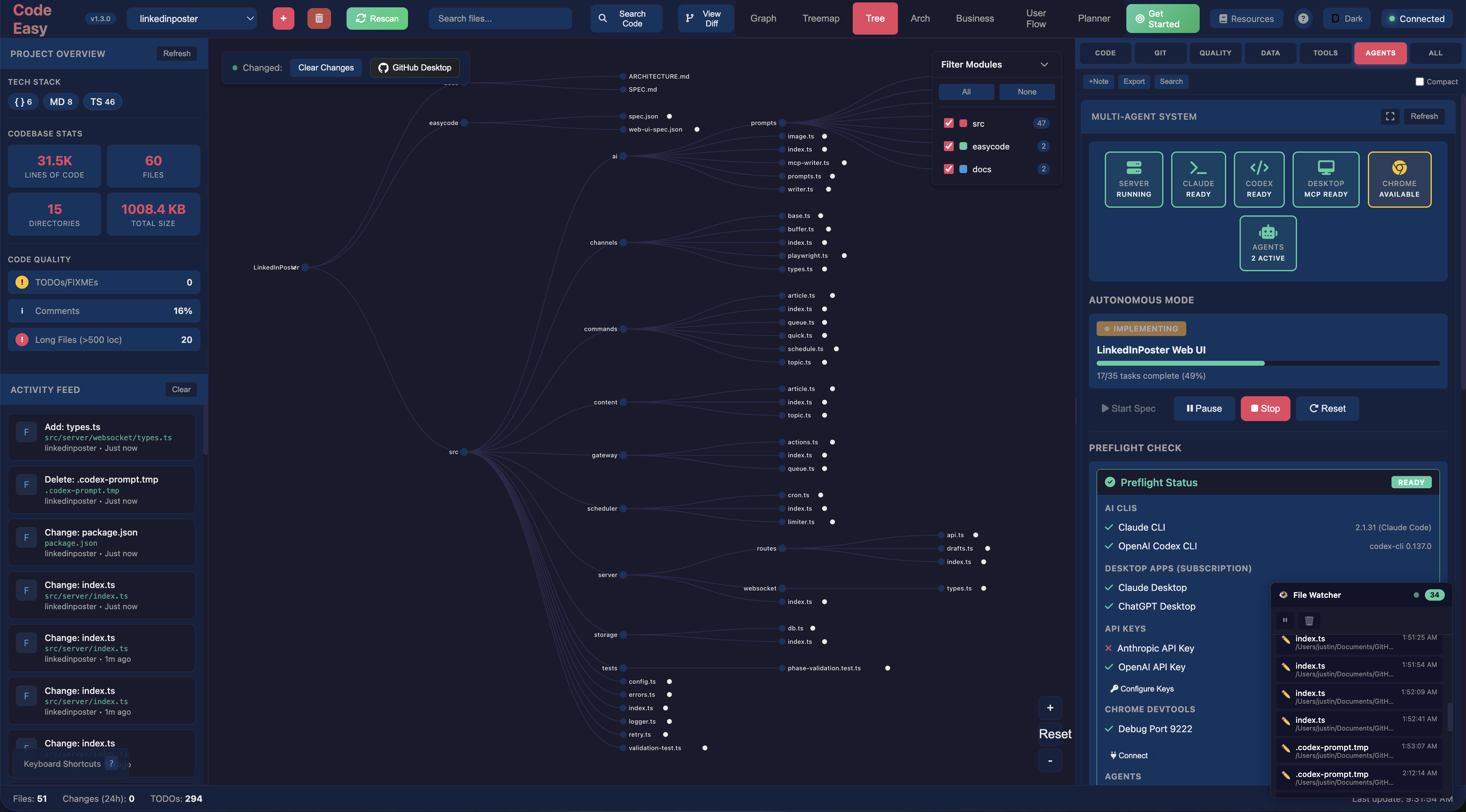
7 Visualization Modes

Force graphs, treemaps, trees, architecture layers, business domains, user flows, and AI-assisted resource planning. Press 1-7 to switch views.

Real-time Updates

Watch file changes appear instantly via WebSocket connections. Every save, every modification, tracked live.

Claude Code Integration

See AI-assisted changes as they happen. HTTP hooks capture every tool use, edit, and file operation.

Requirements Management

Track 5 requirement types: Technical, Architectural, Design Rationale, Enterprise Alignment, and Functional. Import/export via CSV.

Claude Plans Viewer

View and import from Claude plan files. See AI planning documents and convert them into trackable requirements.

TODO & Issue Scanning

Finds TODO, FIXME, HACK, BUG comments. Detects stubs, code gaps, complexity issues, and security concerns.

Project Statistics

Lines of code, file counts, tech stack detection, and code quality metrics at a glance.

Dark & Light Themes

Easy on the eyes with both dark and light modes. Your preference is remembered across sessions.

Built for Rapid Prototyping

Accelerate your development workflow and reduce costs

10x

Faster Understanding

Instantly visualize complex codebases. No more hunting through files - see the architecture at a glance.

50%

Less Context Switching

Everything in one dashboard. File changes, AI activity, TODOs, git status - all updated in real-time.

Zero

Setup Time

Point it at any repo and start immediately. No configuration required, works with any JavaScript/TypeScript project.

Perfect for AI-Assisted Development

When Claude Code builds your prototype, you see every file it creates, every edit it makes. Track AI progress in real-time, validate changes instantly, and maintain full visibility over automated development.

  • See AI tool usage as it happens
  • Track requirements validation
  • Import plans directly from Claude
  • Catch issues before they compound

Context + Tools = 1+1=4

Code Easy doesn't replace your debugging tools. It makes them smarter.

Before Debugging

Code Easy gives Claude instant context

  • get_session_history "What did we fix last time?"
  • get_decisions "Why was it built this way?"
  • get_context "What are the key files?"
  • get_requirements "What constraints exist?"

During Debugging

Standard tools do the real work

  • docker logs Read actual error messages
  • curl Test endpoints live
  • Read/Edit Examine and fix code
  • Bash Run commands, verify fixes

After Fixing

Code Easy preserves the knowledge

  • store_session_summary Future you knows what happened
  • store_decision If architecture changed, record it
  • Same bug never debugged twice
  • Knowledge compounds across sessions

Without Code Easy

  • Re-read CLAUDE.md every session
  • "Why did we build it this way?"
  • Fix it, forget it
  • Same bug debugged twice

With Code Easy

  • Instant context from session history
  • Documented rationale in decisions
  • Session summaries compound
  • History prevents repeat debugging

Code Easy = strategic context and proactive analysis
Standard tools = tactical debugging and live troubleshooting

Together, each debugging session makes the next one faster.

Massive Token Reduction

Instead of Claude reading dozens of files to understand your project, MCP tools return structured summaries. Session history, decisions, and requirements are pre-indexed - not re-parsed every conversation.

~50k tokens to read files manually
~2k tokens via MCP context
Without MCP "What's this project about?"
Claude reads: README.md, package.json, 10+ source files, CLAUDE.md...
~15,000 tokens consumed
With MCP "What's this project about?"
get_context returns: framework, patterns, key files, tech stack
~800 tokens consumed
Without MCP "What did we work on last time?"
Claude: "I don't have memory of previous sessions"
You paste notes, re-explain context...
~5,000+ tokens of manual context
With MCP "What did we work on last time?"
get_session_history returns stored summaries
~200 tokens, instant recall

The Development Ecosystem

How Claude, Code Easy, and your environment work together

DEVELOPER Claude Code AI Agent Code Easy MCP API Layer Context • Memory • Analysis Codebase Files • Git • Env Visual Dashboard Real-time • D3.js MarkItDown PDF • Word • Excel >_ VS Code Terminal Requests MCP Tools Read/Write Visualize Reference Docs Data Flow Context AI Actions Code Ops
Claude Code — AI agent that reads, writes, and executes
Code Easy MCP — Context layer with 23 tools
MarkItDown — Convert docs to LLM-ready markdown
Dashboard — Real-time visualization

Six ways to see your code

Choose the visualization that makes sense for your task

Force-Directed Graph

See file dependencies and relationships as an interactive network

Works with Claude Code

When Claude makes changes to your codebase, Code Easy shows you exactly what's happening in real-time.

Track every file edit and creation
See tool usage as it happens
Session start/end notifications
Works alongside your normal workflow
JJ

A Note from the Builder

Three decades of tech. One tool for the next era.

I've worn a lot of hats. Coder in the trenches, debugging at 3am. Support engineer learning what breaks when real users touch your "perfect" code. Consultant parachuting into chaos and making sense of it. Solutions architect drawing boxes and arrows that actually had to work. Enterprise architect aligning technology with business strategy across entire organizations. Product manager balancing what users want with what's possible. CTO making bets on technology that would either make or break the company. Founder betting everything on an idea.

Every role taught me the same lesson: visibility is everything. The projects that failed? We lost the map. The products that shipped? We could always see what was happening.

Traditional

Careful. Methodical. Every line reviewed. Weeks to ship.

Vibe Coding

Flow state. Intuition. Ship now, refactor... eventually.

AI Co-Pilot

Direct the build. Review the output. Ship in hours.

Now we're entering the next realm. AI agents don't just autocomplete - they build. They create files, refactor systems, implement features. You describe what you want, and code appears. It's the most exciting time to build software since I wrote my first BASIC program.

But here's what my decades of experience scream at me: speed without visibility is a recipe for disaster. I've seen enterprise projects collapse because nobody knew what was actually in the codebase. I've watched startups implode when their "move fast" mentality created unmaintainable spaghetti.

AI-powered development is incredible. But you need to see what's being built.

Code Easy is my answer. It's the tool I wish I had in every role I've ever held. When Claude is building your prototype, you watch it happen in real-time. When you're reviewing AI-generated architecture, you see the layers. When you're switching between vibe coding and careful review, every change is tracked.

This is how we code in the next realm - with AI agents as co-pilots and a dashboard that keeps you in command.

From coder to CTO, the lesson never changed: see what you're building.
Now we can build faster than ever. Let's not lose the map.

Up and running in 60 seconds

Three commands to start visualizing your code

# Clone and install
$ git clone https://github.com/your-repo/code-easy.git
$ cd code-easy && npm install

# Configure your repository path in config.json
$ nano config.json

# Start the dashboard
$ npm start

# Open http://localhost:3001 in your browser